How PlayStation Account Works
Frequently Asked Questions(FAQ)
1. By renting a game, does my console get banned?
Only using a hacked account may cause your console to be banned by Sony. We sell original games that are purchased and sold exclusively by us. Your console is at risk of being banned only if you do not remove the game on time, despite our repeated reminders. In such cases, we report the stolen account to Sony, which may lead to a console ban.
2. How secure is your account?
As mentioned earlier, we sell original games that are exclusively purchased and sold by us. For added security, we do not provide usernames or passwords to anyone. Logins are managed solely through the Sony/PlayStation app. Additionally, all our accounts are protected by two-factor authentication, ensuring no scope for hacking or security breaches.
3. Do you provide bundled games, i.e., multiple games in a single account?
We provide one game per account. However, certain accounts may include multiple games like Resident Evil 2 + 3 + Resistance, as sold by Sony in a bundle. Please be aware that accounts offering multiple games, often found online, are usually hacked accounts. We strongly advise caution when purchasing from such sources.
4. What is the difference between primary, secondary, and offline play?
Primary (Online):
In the primary mode, you download the game from our account and enable console sharing on your device. You can then play the game from your own account, allowing you to save progress and earn trophies. Internet connection is not mandatory for gameplay.
Secondary (Online):
In the secondary mode, you must play the game directly from our account. Trophies and save progress will remain in our account, and an internet connection is required at all times.
Offline Play:
In offline mode, you download the game from our account, enable console sharing, and then disconnect from the internet. You can play the game from your own account, earn trophies, and there is no time limit. However, reconnecting to the internet will lock the game. Once this happens, relogin or replacement is not possible. The process typically takes 4-24 hours, so please be patient.
5. Do you provide permanent games?
Yes, we provide permanent access to the account, but we do not share usernames or passwords. If you accidentally log out of the account, we will provide access again.
6. How do you provide access to the game?
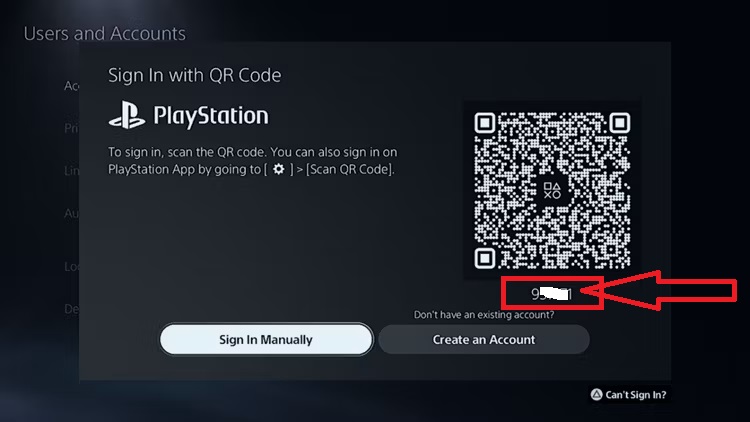
Access to the game is granted through the PlayStation app using either a QR code or a six-digit code. We do not provide usernames or passwords under any circumstances, ensuring the safety of our accounts.
7. I have some games to sell. Can you resell them?
No, we do not resell accounts. The security of our accounts is our top priority, and we cannot compromise it by reselling.
8. Do you provide any discounts?
We occasionally offer discounts during special occasions. Additionally, if you rent 3 or more games, you will receive a 10% discount on subsequent purchases. This discount excludes biweekly rentals, new games, PS Plus subscriptions, and offline games. No other discounts can be combined with this offer.
Steps to activate a PlayStation game
1. Once both the buyer and seller are online, the buyer should turn on the console.
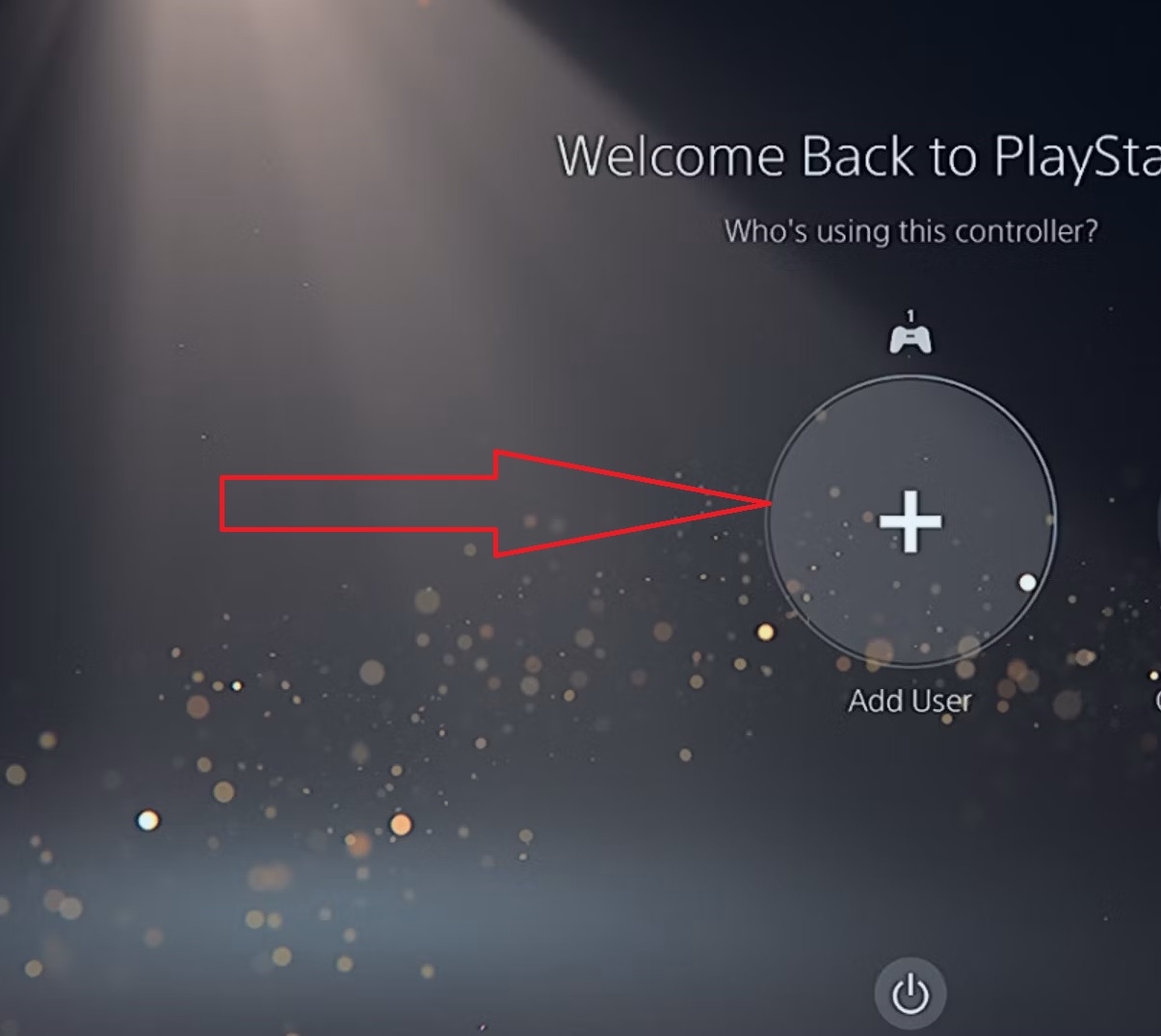
2. The buyer, using the console, clicks on “Add New User” and sends the seller the numbers displayed under the QR code.
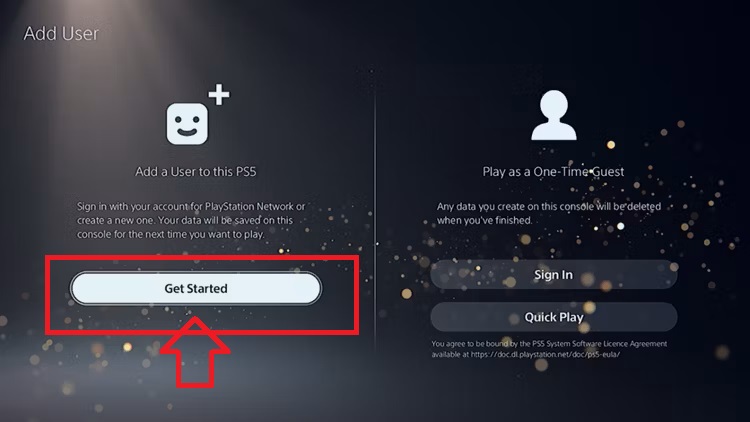
3. If prompted to log into the account using a code, click “Next.”
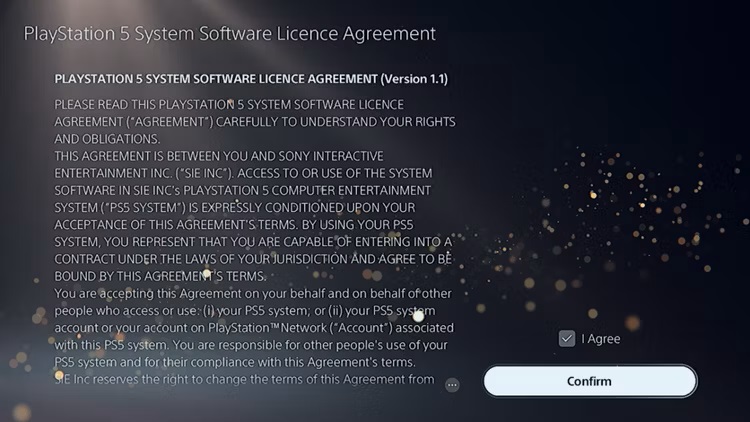
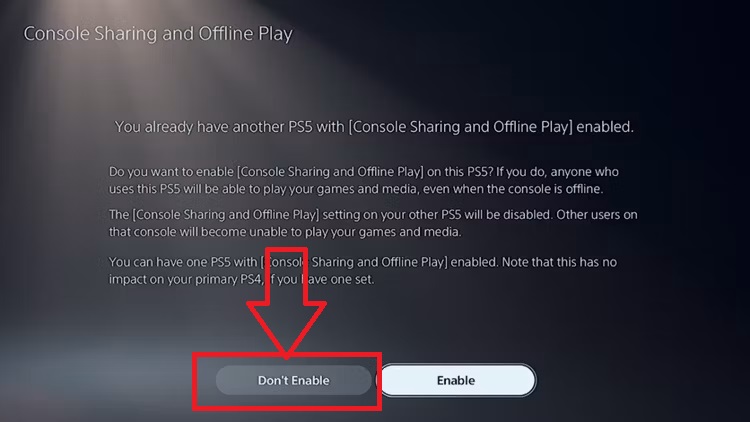
4. Important: Do not enable Console Sharing!
5. Navigate to the account’s game library and download the desired game.